Materials Due Date: Creative is due 1 week prior to launch date.

When submitting creative, please send the following items:

  • ·Creative/display ad (both desktop and mobile dimensions)
  • Click-through URL link

Digital Magazine

Trenchless Technology Digital Magazine

  • Full Page: 8” wide x 10-1/2” high
  • Spread: 16” wide x 10-1/2” high
    • Acceptable files include: .pdf and .tif. 300 dpi
  • Sponsor:
    • Full page ad: 8” wide x 10-1/2” high (PDF or TIF, 300 dpi)
    • Subscriber email recognition: Logo + 25 words
  • Skyscraper Banner: 300 (w) x 600 (h) with URL link, max file size 45k, JPG or GIF file

Small Diameter Trenchless Digital Magazine

  • Half Page: 7” wide x 4-7/8” tall
  • Full Page: 8” wide x 10-1/2” high
  • Spread: 16” wide x 10-1/2” high
    • Acceptable files include: .pdf and .tif. 300 dpi
  • Sponsor:
    • Full page ad: 8” wide x 10-1/2” high (PDF or TIF, 300 dpi)
    • Subscriber email recognition: Logo + 25 words

Website Display Ads

Materials Due Date: Creative is due 1 week prior to launch date.


When submitting creative, please send the following items:

  • ·Creative/display ad (both desktop and mobile dimensions)
  • Click-through URL link

Banner Ads

Dimensions: 300(w) x 250(h) pixels

  •  Click-through URL link
  •  File Formats: JPG, PNG, GIF
    •  Broadstreet ad manager, 3rd party ad servers, and javascript files are also accepted
  •  Max file size: 35k
  • ·Max Loops: 3
  • ·Will not host any images for javascript or 3rd party tags
Artboard 1

Skyscraper Banner

Dimensions: 300(w) x 600(h) pixels
Mobile Dimensions: 300(w) x 250(h) pixels
  • Click-through URL link
  • File Formats: JPG, PNG, GIF
    • Broadstreet ad manager, 3rd party ad servers, and javascript files are also accepted
  • Max file size: 45k
  • Max Loops: 3
  • Will not host any images for javascript or 3rd party tags
Artboard 2

Leaderboard Banner

Dimensions: 728(w) x 90(h) pixels
Mobile Dimensions: 320(w) x 50(h) pixels

  • Click-through URL link
  • File Formats: JPG, PNG, GIF
    • Broadstreet ad manager, 3rd party ad servers, and javascript files are also accepted
  • Max file size: 45k
  • Max Loops: 3
  • Will not host any images for javascript or 3rd party tags

Large Leaderboard Banner

Dimensions: 970(w) x 90(h) pixels
Mobile Dimensions: 320(w) x 50(h) pixels

  • Click-through URL link
  • File Formats: JPG, PNG, GIF
    • Broadstreet ad manager, 3rd party ad servers, and javascript files are also accepted
  • Max file size: 45k
  • Max Loops: 3
  • Will not host any images for javascript or 3rd party tags

Interstitial Banner

Dimensions: 600(w) x 400(h) pixels
Mobile Dimensions: 300(w) x 250(h) pixels

  • Click-through URL link
  • File Formats: JPG, PNG, GIF
    • Broadstreet ad manager, 3rd party ad servers, and javascript files are also accepted
  • Max file size: 90k
  • Will not host any images for javascript or 3rd party tags

Inline Banner

Dimensions: 300(w) x 250(h) pixels

  • Click-through URL link
  • File Formats: JPG, PNG, GIF
    • Broadstreet ad manager, 3rd party ad servers, and javascript files are also accepted
  • Max file size: 35k
  • Max Loops: 3
  • Will not host any images for javascript or 3rd party tags

Billboard Banner

Dimensions: 970(w) x 250(h) pixels
Mobile Dimensions: 320(w) x 50(h) pixels
  • Click-through URL link
  • File Formats: JPG
    • Broadstreet ad manager, 3rd party ad servers, and javascript files are also accepted
  • Max file size: 75k
  • Will not host any images for javascript or 3rd party tags

Background Skins

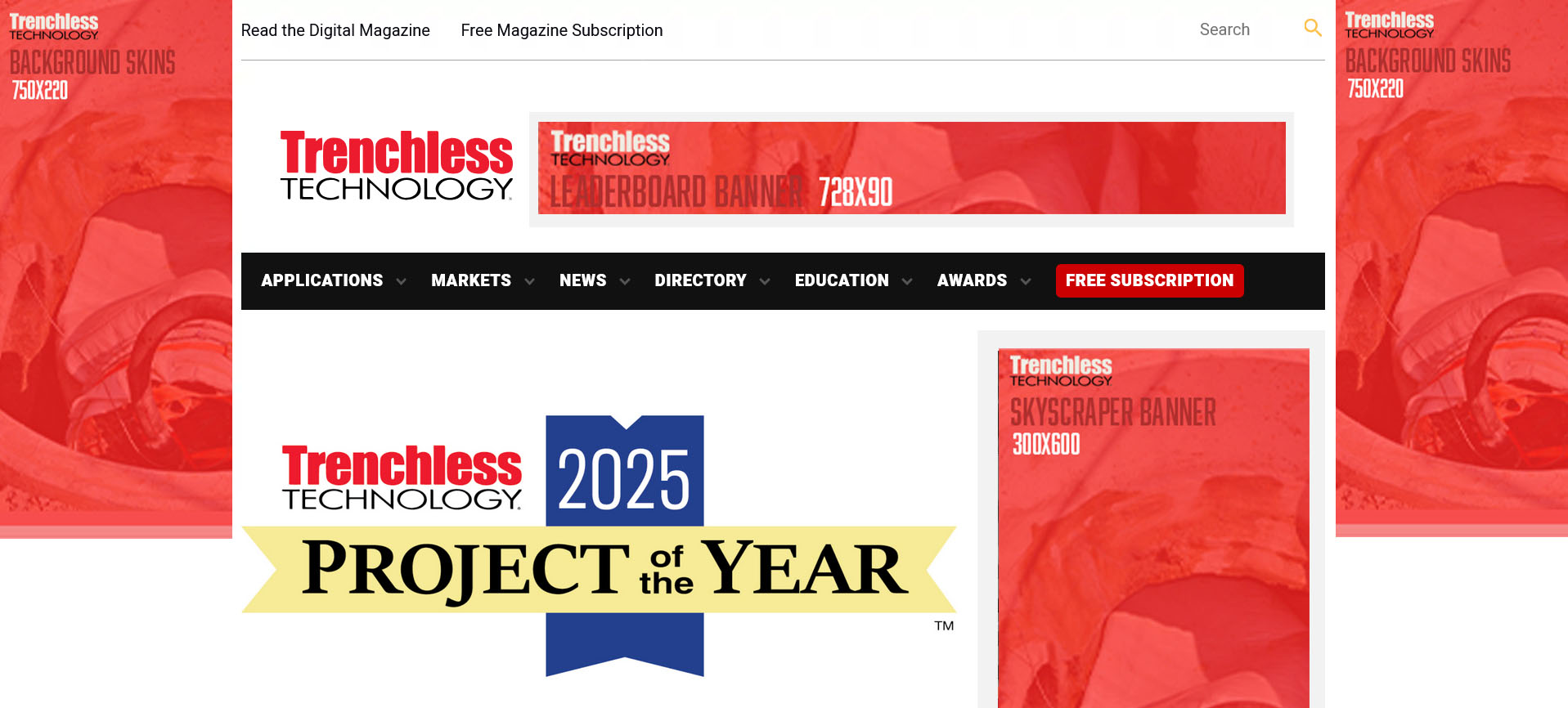
Dimensions: 220(w) x 750(h) pixels needed for both left and right sides
Mobile Dimensions: 320(w) x 50(h) pixels

  • Click-through URL link
  • File Formats: JPG
  • Max file size: 75k
  • Will not host any images for javascript or 3rd party tags

Additional information: option to send separate creatives and URLs for the left and right columns
Standard package

  • Website Banner: 300(w) x 250(h) with URL link, 35K max file size, JPG or GIF
  • Newsletter Banner: 300(w) x 250(h) with URL link, 35k max file size, JPG or GIF
  • Social Media Post: 1200(w) x 630 (h) image, 240 characters, and URL link

Premium package:

  • Website Banner (leaderboard): 728(w) x 90(h) pixels / Mobile Dimensions: 320(w) x 50(h) pixels. JPG, PNG or GIF Files accepted. 45k max file size.
  • Website Banner (standard): 300(w) x 250(h). JPG, PNG or GIF Files accepted. 45k max file size.
  • Newsletter Banner: 300(w) x 250(h) with URL link, 35k max file size, JPG or GIF
  • Social Media Post: 1200(w) x 630 (h) image, 240 characters, and URL link

NEWSLETTERS

Materials Due Date: Creative is due 1 week prior to launch date.

Specs for the following Newsletters:

  • Pipe Relining Newsletter
  • Municipal Trendsetters Newsletter
  • Trenchless Technology Canada Newsletter
  • Top 50 Engineering Firms Newsletter
  • Project of the Year Awards Newsletter

Option of a Banner or Advertorial

Newsletter Banner:

  • Dimensions: 300(w) x 250(h)
  • Click-through URL link
  • File types: JPG and GIF (3x max looping for GIF)

Newsletter Advertorial:

  • Headline, 30 words, image, and click-through URL link
  • Image: JPG, 72 dpi, min 400 pixels wide, max 800 pixels wide, landscape orientation, max file size of 45k
  • Logo
  • Banner dimensions: 600 (w) x 300 (h), Click-through URL link, File types: JPG and GIF (3x max looping for GIF)
  • Spotlight content: 500 words, image, URL link
  • Banner: 300(w) x 250(h) with URL link
  • Company logo with URL link
  • Spotlight Advertorial:
    • Headline
    • 35 words
    • Image with: JPG, 72 dpi, min 400 pixels wide, max 800 pixels wide, landscape orientation, max file size of 45k
    • Company logo
    • Click-through URL

CONTENT MARKETING/SPONSORSHIPS

Materials Due Date: Creative is due 1 week prior to launch date.

Monthly Theme Sponsorship

  • Inline Text Ad:
    • Thumbnail image: 400(w) x 225(h) pixels or 1280(w) x 720(h) pixels; max file size 35K
    • Text: 30 words
    • Click-through URL link
    • File Formats: JPG, PNG, GIF
  • Standard Banner:
    • 300(w) x 250(h) pixels
    • Click-through URL link
    • File Formats: JPG, PNG, GIF
    • Max file size: 35k
    • Max Loops: 3
  • · Newsletter (banner OR advertorial):
    • Banner
      • Dimensions: 300(w) x 250(h)
      • Click-through URL link
      • File types: JPG and GIF (3x max looping for GIF)
    • Advertorial
      • Headline, 30 words, image, and click-through URL link
      • Image: JPG, 72 dpi, min 400 pixels wide, max 800 pixels wide, landscape orientation, max file size of 45k
  • · Social:
    • Image: 1200 (w) x 630 (h) pixels, 240 characters, and click-through URL link
  • · Articles up to 2 (optional):
    • Headline, up to 500 words, 1-3 high-resolution images, in-text URL links

Trenchless Innovation of the Month

  • Email: Image 1200 (w) x 800 (t), Headline, 150 words max, Logo & contact details.  View Example
  • Website Article: Headline, up to 750 words, 1-3 images, company logo, click-through URL link
  • Newsletter: Headline, 30 words, image (400 (w) x 800 (t)), and click-through URL link
  • Social Media: Image 1200(w) x 630 (t), 240 characters, and click-through URL link
  • Logo
  • Background Skins: 220(w) x 750(h) pixels needed for both left and right sides / Mobile Dimensions: 320(w) x 50(h) pixels
    • Click-through URL link
    • File Formats: JPG
    • Max file size: 75k
    • Will not host any images for javascript or 3rd party tags
    • Note: if using different creative for each side, please note which creative is for the left and right sides.
  • Article Post: headline, 400 – 1500 words, 1-5 images or video, contact information
  • Social Media Post: 1200(w) x 630 (h) image, 240 characters, and URL link
  • Inline Banner Ad: 300(w) x 250(h) pixels. JPG, PNG or GIF file formats. Max file size 35k. Include URL link.
  • Half Page Column: headline + 350 words + image or speaker headshot
  • Full Page Column: headline + 650 words + 1-2 images and speaker headshot
  • Sponsored Content: Provide final document in PDF format
  • Landing Page Questions: Provide up to 2 custom questions to add to the landing page form (multiple choice or open ended)
  • Email: Image 1200 (w) x 800 (t), Headline, 150 words max, Logo & contact details
  • Newsletter: Headline, 30 words, image 400 (w) x 800 (t)
  • Social Media: 1200(w) x 630 (h) image, 240 characters

Note: all marketing promotions will link to the sponsored content landing page.

  • Sponsored Content: headline, 650 – 1,600 words, 3-5 images, contact information
  • Full Page Ad: Full page ad: 8” wide x 10-1/2” high (PDF or TIF, 300 dpi)
  • Color Logo
  • Video: 60 seconds video file
  • Email: Image 1200 (w) x 800 (t), Headline, 125 words max, logo & contact details. View Example

3RD PARTY EMAILS

Materials Due Date: Creative is due 1 week prior to launch date.

Email Requirements - What You Need to Know

What We Need From You

When you want to send an email campaign through Benjamin Media, you need to provide us with a specially formatted email file. Think of it like giving us the blueprint for your email.

You’ll need to send us:

  • An HTML email file (this is the coded version of your email)
  • If you have multiple files, put them in a zip folder

Important Rules for Your Email

Images and Pictures

  • Use full web addresses for images – Instead of just “photo.jpg”, use the complete web address like “https://yourwebsite.com/images/photo.jpg”
  • Include descriptions for all images – This helps people who can’t see images understand what they show (this is called “ALT text”)

Email Design Requirements

  • Make it work on phones and computers – Your email should look good whether someone opens it on their desktop or mobile phone
  • Keep it narrow – Don’t make your email wider than 680 pixels (about the width of a standard email window)
  • No interactive features – Things like pop-ups, animations, or clickable buttons that run code won’t work in emails

Technical Notes (For Your Developer)

If you’re working with a web designer or developer, share these guidelines with them:

Email coding is different from website coding:

  • Style instructions should be written directly in the email code, not in separate files
  • Use table layouts instead of modern web layouts
  • Use “padding” for spacing, not “margins”
  • Always use complete web addresses, never shortened ones
  • Always include image descriptions, even if they’re blank

Legal Requirements

Anti-Spam Laws: By law, every marketing email must include:

  • The sender’s physical address
  • A way for people to unsubscribe

Don’t worry – Benjamin Media will automatically add our address and unsubscribe information to your emails to keep everything legal.

Important Disclaimer

Email appearance can vary – Your email might look slightly different depending on whether someone opens it in Gmail, Outlook, Yahoo, or other email programs. This is normal and beyond anyone’s control, as each email service displays things a bit differently.

Benjamin Media is not responsible for email differences in various browsers and email clients.


Have questions? Contact Benjamin Media for help with your email campaign requirements.

Provided HTML Eblast

Required Material Specs:

  • HTML file
  • Subject Line
  • Preheader (optional)

Basic Template Email Blast

Required Material Specs:

  • Subject Line
  • Preheader (optional)
  • Headline
  • Body: up to 500 words and any in-text links
  • 1-2 high resolution images
  • Company logo with URL link